How to Add a Wedding RSVP to Your Squarespace Website
Add a free RSVP form to your Squarespace wedding website in a few minutes. Guests answer for each person and event, and every reply lands in one guest list. Step-by-step with screenshots.
By Mia · · Updated
How the Squarespace RSVP integration works
Your Squarespace wedding website displays the RSVP form inside an embed. Cordially stores the guest list, invitations, and responses, so you can collect RSVPs on your Squarespace wedding website and manage replies in one place.
Guests can respond for each person and each event they are invited to. That works for a single reception or a multi-day wedding with separate welcome dinner, ceremony, and reception counts.
Squarespace has no dedicated wedding RSVP tied to a guest list. Couples usually pick one of the four routes below.
| Method | Per-event RSVP | Household RSVPs | Meal or dietary questions | Guest texting and reminders | Cost |
|---|---|---|---|---|---|
| Squarespace form block | Only as fields you add | No guest list matching | Custom form fields | No | Included in your plan |
| RSVPify embed | Yes | Yes, by party | Yes | Check current plans | See RSVPify pricing |
| Zola RSVP link | Yes, on Zola's site | Yes, family entries | Check Zola's RSVP questions | Check Zola's current tools | Free |
| Cordially RSVP embed | Yes, per guest and event | Yes, each household member | Dietary notes per guest | SMS and WhatsApp, with reminders | RSVP free, texting from $69 |
Step 1: Add your Squarespace domain in Cordially
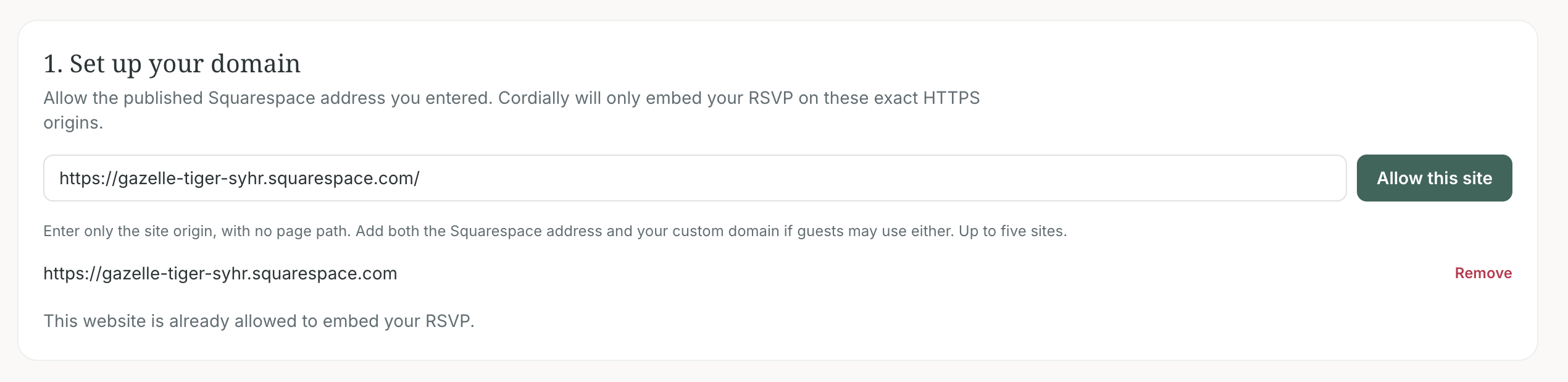
In Cordially, open RSVP → Custom RSVP and choose Squarespace. On your first setup, enter the published address guests use, such as https://yourwedding.squarespace.com, then allow the site. Enter the website origin only. Leave off page paths such as /rsvp.
If guests can open your wedding website at both its Squarespace address and a custom domain, add each HTTPS origin. Include www and non-www versions if both load as separate addresses. Cordially remembers the allowed site, so the Squarespace tile takes you back to setup without asking for the domain again.
Step 2: Design the RSVP form in Cordially
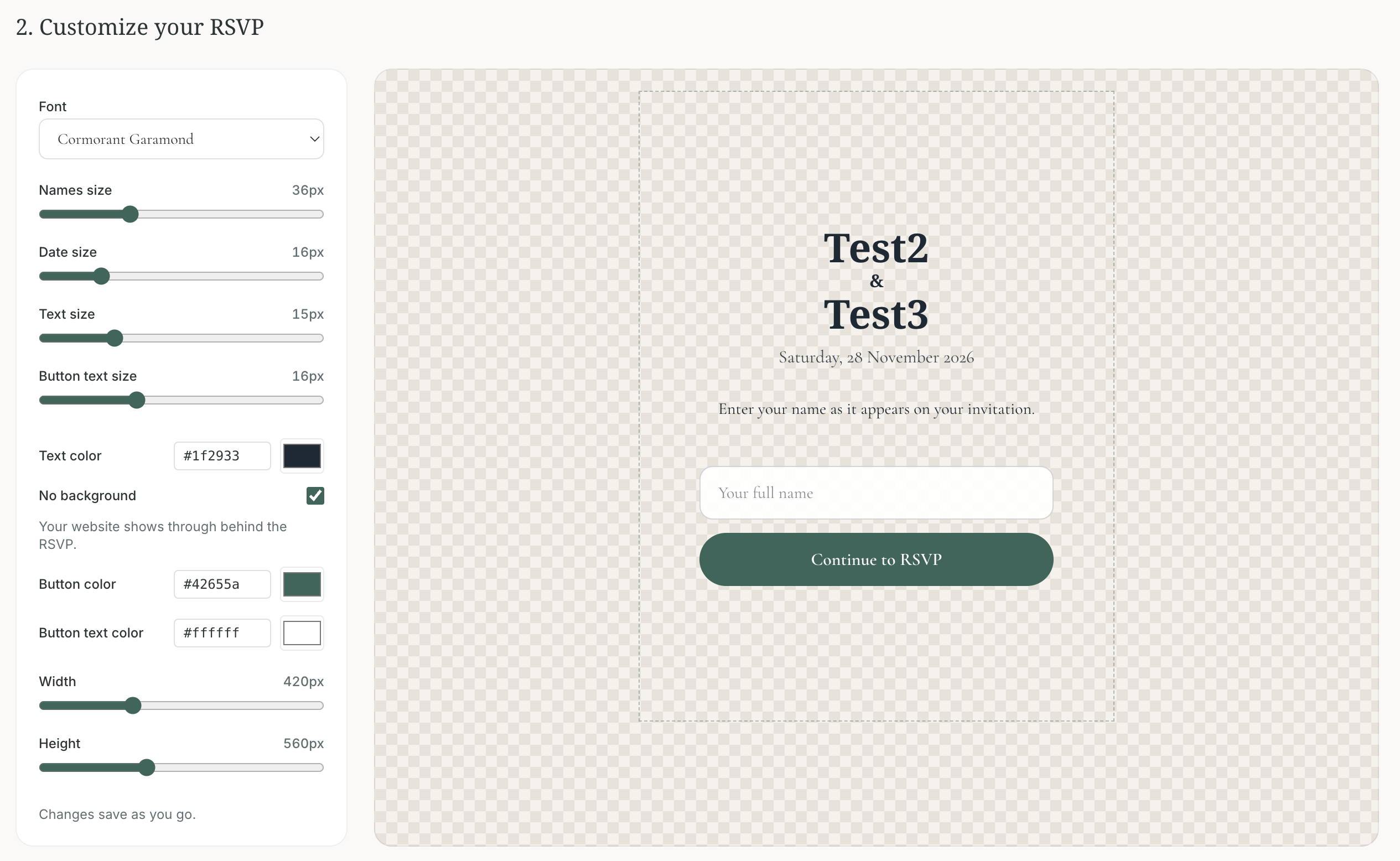
Choose the RSVP wording, colors, and layout for the form guests will see on your Squarespace page. Set up your wedding events and invite the right guests to each one in Cordially first. The embedded form can then show a guest the events they are invited to and collect a separate answer for each person.
Preview the form at desktop and mobile sizes. Leave room on the Squarespace page for the form to grow when guests see more questions or event choices.
Step 3: Launch and copy the embed code
When the design is ready, launch it in Cordially. Then use Copy embed to copy the generated snippet. Launch again after later design changes so the version on your website matches the form you just approved.
Keep the full snippet together. It contains the RSVP iframe and the small script that lets the form report its height to the page, so longer forms can expand without a short fixed frame.

Step 4: Add a block to your Squarespace RSVP page
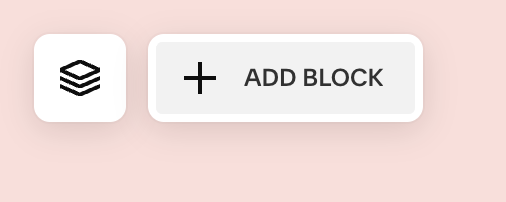
In Squarespace, open Pages and edit the page where you want guests to RSVP. Find the section where the form should appear and choose Add Block. This creates a place for the RSVP embed within your existing wedding website design.
Step 5: Choose the Embed block
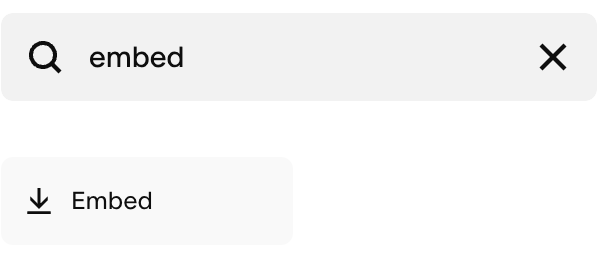
Search for “Embed” in the block picker and select the Embed block. Add it to the RSVP section of your Squarespace page. The block can accept an embed URL or code; Cordially's generated snippet uses code so it can resize to fit the RSVP form.
Step 6: Open Embed Data for the new block
Click the Embed block you placed on the page, then open Embed data in its settings. Squarespace shows an editor labeled Add code. Keep the block in the section where you want the guest RSVP form to appear.
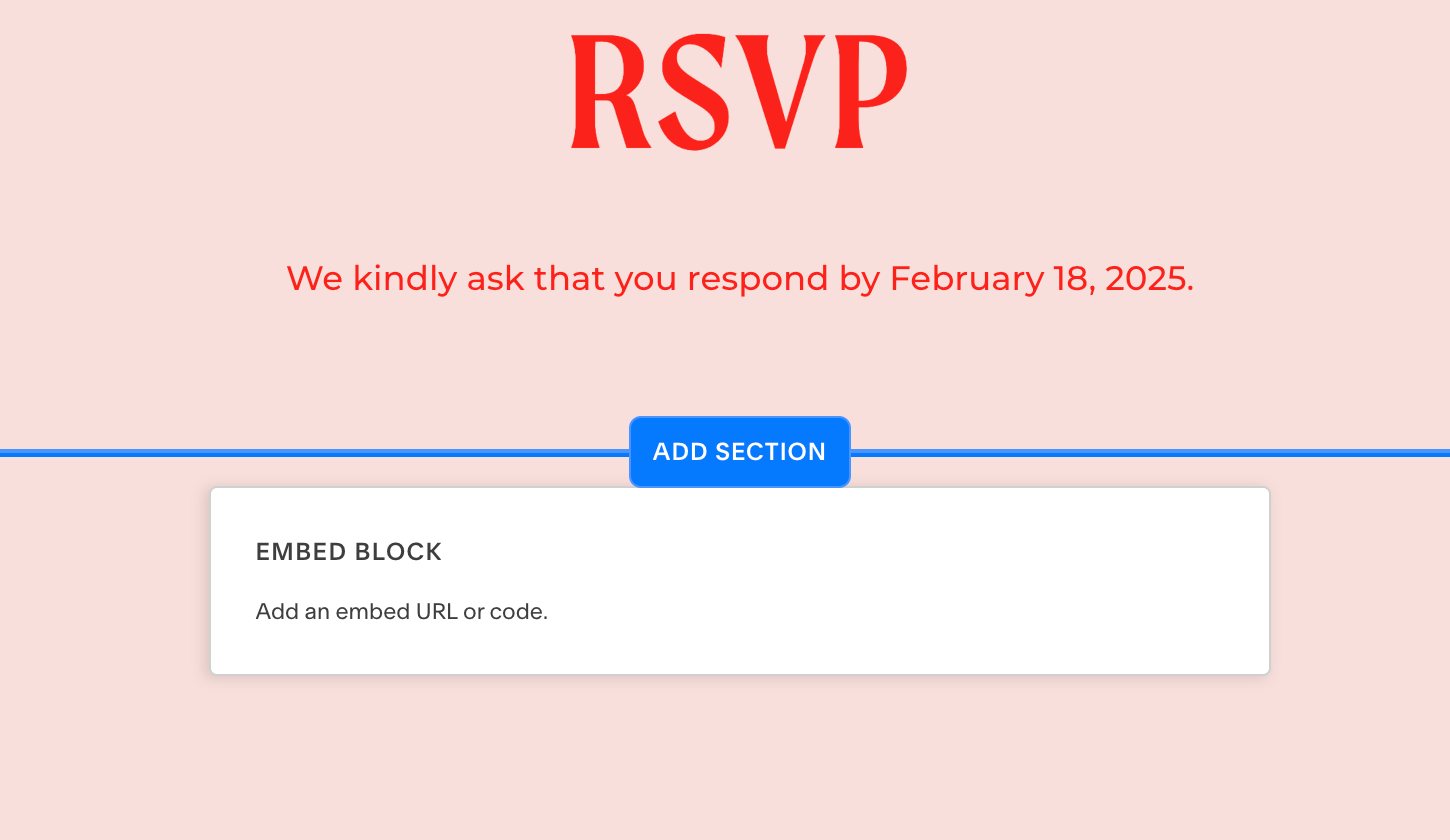
Step 7: Paste Cordially's embed code
In the Embed data editor, paste the complete code you copied from Cordially, then save the block and the Squarespace page. Keep both the iframe and its script together; the script listens for the form's height updates.
Squarespace's Embed block supports manually entering embed code. If you use a Code block instead, Squarespace currently requires the Core plan or higher for JavaScript or iframe code. Check the official Embed blocks and Code blocks guides below for current plan details.
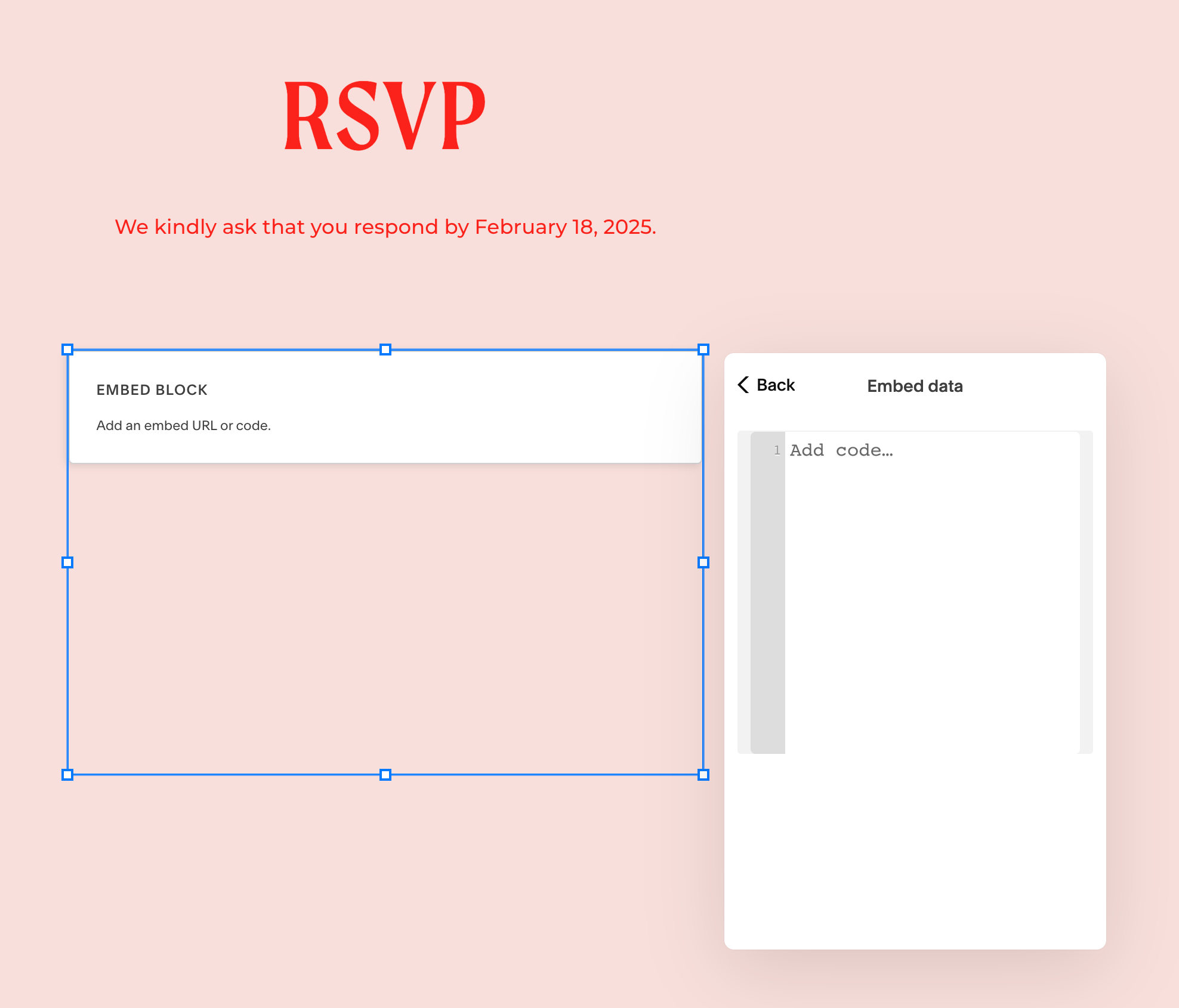
Step 8: Preview and test the guest experience
Squarespace disables embedded scripts while you are logged in and editing, so the editor can show an “Embedded scripts are disabled” message instead of the live RSVP form. Use Preview in Safe Mode or open the published page in a private window to test it as a guest.
Try the RSVP on a phone and computer. Confirm the form loads, the guest sees the right event choices, and the submit confirmation appears. If it remains blank on the published page, check that the page's HTTPS origin is allowed in Cordially and that the full embed code was pasted.
Manage wedding RSVPs in Cordially
After a guest submits the Squarespace wedding RSVP form, review the response in Cordially. The guest list shows who accepted or declined each event, so you can follow up with people who have not replied and share accurate counts with your planner or caterer.
Your wedding website keeps its own design, while Cordially handles the invitation rules and RSVP data behind the form.
Frequently asked questions
Does Squarespace have a built-in wedding RSVP?
Not a dedicated one. A Squarespace form block can collect names and answers, but it does not check guests against an invite list or count each event. To keep a guest list behind the form, paste an RSVP embed such as Cordially's into an Embed block on your RSVP page.
Can I collect meal choices and per-event RSVPs on Squarespace?
Yes, with an embedded RSVP. Cordially's form shows each guest only the events they are invited to and records an answer for every person and event, plus dietary notes for each guest who is coming. A plain Squarespace form can add meal fields, but answers are not tied to invitations.
Do guests need an account to RSVP?
No. On your Squarespace page, guests type their name as it appears on the invitation and the form opens their RSVP. There is no app to install and no password. If you text a guest their personal RSVP link, it opens their RSVP directly.
Can I text guests the RSVP link?
Yes. Cordially can text each guest a personal RSVP link by SMS or WhatsApp, then remind only the people who have not answered. Guest texting is a one-time payment from $69 for up to 50 unique phone numbers, and you can send test messages to your own phone before paying.
How much does a Squarespace wedding RSVP cost?
The Cordially RSVP form, guest list, and per-event tracking are free. Guest texting is one payment by unique phone numbers: $69 up to 50, $119 up to 100, $169 up to 200, or $249 up to 400, with unlimited messages. Your Squarespace plan is separate; Code blocks with iframes need Core or higher.
Why does my RSVP embed look blank in the Squarespace editor?
Squarespace hides embedded scripts while you are logged in and editing, so the live form may not show there. Use Preview in Safe Mode or open the published page in a private window. If it is still blank, check that the page's HTTPS domain is allowed in Cordially.
Sources
Checked . Prices and features can change.